Translate

Friday, May 10, 2013

Oval and Spread Effects


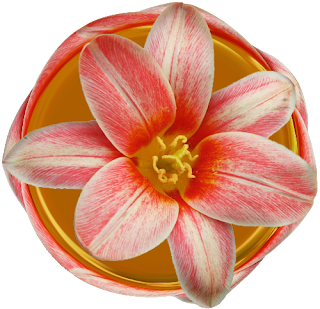
You can play with the tools of imagemagick to decorate your image.Here is an example of my experiment.


Take the image at studio

Effect-Spread-70

F/x-Implode= -60

Enhance-Saturation-130 (twice)

Effect-Sharpen -20x20

Optional

Decorate –raise and border

Save as jpeg

Monday, May 6, 2013

Framing with Divider


Take the divider (gif or png) you want to use to imagemagick studio. 
Note down the height of it.  the divider I used has height 499.

Make a transparent background of the size of the height. My background is 499x499

At composite , upload the divider, compose- over-south.
Transform –flip
Compose again with gravity –south
Transform –rotate –left
Compose –over-gravity-south
Transform-flip
Compose –over-south.
Compose -dstover- the picture of your choice. trim or resize and save in jpeg/png/gif format. 

Sample:

Double Circle Tute


Create a transparent of size 320x340

Draw-circle: (
+262+262 +142+146 +0+360 )

Fill color white, Stroke color=#F5761C, and stoke width-12
Effect-Spread -4x4 

Composite the following image, offset +0-20, center 


Blur-4x4

Composite – overlay

Draw-circle:( 
+162+162 +142+146 +0+360) 

Type the color of your choice in the stroke-color slot

Change the stroke width if you want or use the same parameter

Fill -color slot: None

Press draw

Save as png

Variation: 


Sunday, May 5, 2013

Extra Dimension


You can add extra spaces around your image at imagemagick

Take a,  image to the studio of imagemagick

Go to decorate

Delete 15x15+3+3

Input 25x25

Click on raise

Delete the previous parameter

Input, 20x20

Click on sunken

Continue this procedure by subtracting 5 from the parameter.

The final result of your image should have extra dimension as the example above.

Wavy Pattern


Take the photo at imagemagick studio 


Implode:(-560) 

Swirl:56000 (three to five times)

F/X: Wave- 15x15 or 10x10

Fuzz:90

Blur:0.0x9
F/X: Wave-15x15 

Composite: dstover, offset -0+10, center

Transform: chop- 1x35

Save as png or jpeg


Another sample: 

Grace Kelly

Audrey Hepburn


Saturday, May 4, 2013

Focusing on Image


Implode=(-600)

Blur=0x7

Spread=0x2

Swirl=6000

Fuzz=999 or 9999, color-matt, floodfill

Blur=0x7

Resize if the image does not fit.
Composite= change offset if needed and dstover 

Sharpen =0x2 or 0x1 

Normalize 

Save as png or jpeg

More samples
Bengal Tiger

Lion through circle


Wednesday, May 1, 2013

Imploding Image


Take the image below (png formate) to imagemagick 


Go to F/X – (-60)-Implode

Paste the url of the original at composite

Compose- over

Check- resize to fit

Save the image in png format